Google Analytics
14 Dec 2024Congratulations!
If you’ve made it this far, your metadata is showing up on a dashboard of mine. I hope that doesn’t feel invasive. I’ll say it’s very easy, with some infrastructure Google makes freely available, and if you harbor strong feelings about data privacy and aren’t leveraging a privacy-centric browser like Mozilla, you might not want to read further!
In any case, I’ll stay clear of that intractable discussion.
Instructions are clearly laid out in this article. The most important steps are:
- Set up a “property ID” (basically a unique idetifying key in a database that Google maintains)
- Place that property ID into some very simple code (see below), and add it to the files beneath your website
<script async src="https://www.googletagmanager.com/gtag/js?id=G-{ insert property id here }"></script>
<script>
  window.dataLayer = window.dataLayer || [];
  function gtag(){dataLayer.push(arguments);}
  gtag('js', new Date());

  gtag('config', 'G-{ insert property id here }');
</script>
If you’re interested to know why this works, I spent a little time trying to understand:
- Web browsers are an application that make a call to server when you enter a URL, a Uniform Resoure Locator
- They are returned sets of files that they render (they execute blocks of code, and visually represent that software syntax in a nice, graphical format)
- When your web browser receives my
htmltext files, it executes the above code, which:- Instantiates a list
- Adds some data to that list
- Sends that data to Google’s servers
Remember, Google maintains a record of my property ID, which that data gets associated to. All of that information is then made available through the Google Analytics platform, and can be organized to look like the below:
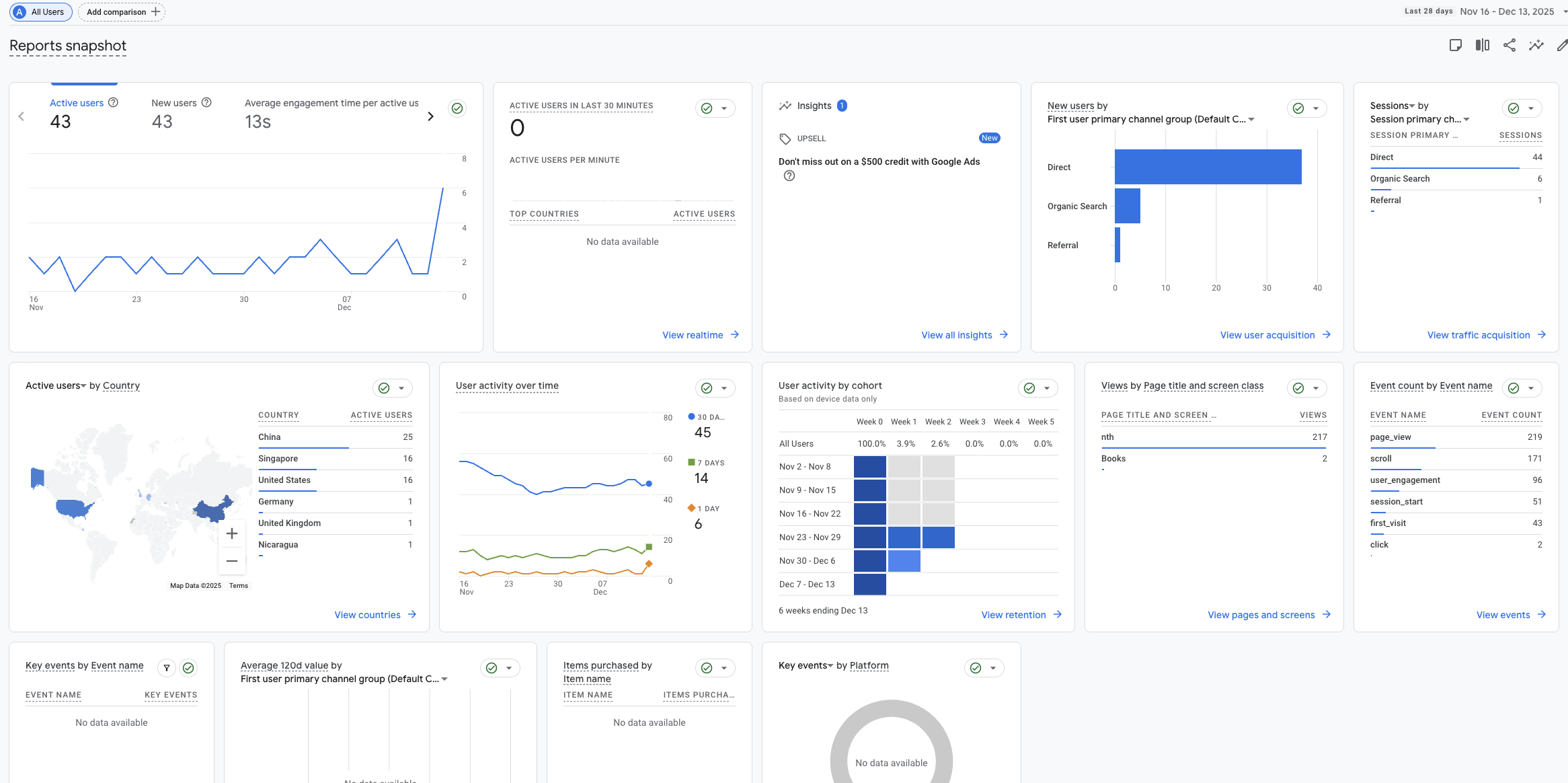
For what it’s worth, you can specify other types of data (all related to the types of “cookies” stored in your web browser), but I haven’t got anything particularly interesting or different there, just the default stuff.
Complete aside: it looks like my website is getting hammered by Chinese servers. I’ve read this is because there are constantly an army of Chinese bots trawling American web sites for security openings. Stay safe out there! It’s the world wide web.